
Download LogonStudio – free Vista login screen creator
Overview
LogonStudio is a lightweight, free utility that lets Windows Vista and earlier users design their own logon screens. Part of the Desktop Customization software family, it focuses specifically on login screen personalization, offering a simple drag‑and‑drop interface that works without requiring deep technical knowledge. Since its debut in 2007, LogonStudio has amassed more than 60,000 downloads, with strong user bases in Canada, Brazil, and Egypt.
The program occupies a fraction of the storage space typical for visual‑customization tools, making it an attractive option for users who want a unique login experience without sacrificing system performance. The current version, 1.0, was last updated on June 8 2007 and is available exclusively in English for Windows Vista and prior Windows releases. Whether you’re looking to brand a corporate workstation, add a personal touch to a home PC, or experiment with visual themes, LogonStudio provides a secure, straightforward way to replace the default logon background, logo, and color scheme.
Key Features
- Custom Background Images – Import any BMP, JPEG, or PNG file to serve as the logon screen backdrop.
- Logo Replacement – Swap the default Windows logo with a personalized image, ideal for branding.
- Color Scheme Editor – Adjust the accent colors for text, buttons, and the progress bar to match your theme.
- Preview Mode – Instantly see how changes will appear before committing, reducing trial‑and‑error.
- Minimal System Footprint – The installer is under 2 MB and consumes negligible RAM during operation.
- Backup & Restore – Automatically saves the original Vista logon assets, allowing a quick revert.
- Secure File Handling – Works with Windows system files using proper permissions, minimizing risk of corruption.
- Free Distribution – No hidden fees, ads, or premium upgrades; the full feature set is available at no cost.
Each feature is designed with usability in mind. For example, the background image tool automatically scales pictures to fit the screen resolution, preventing distortion. The color editor uses a live‑preview slider that updates the UI in real time, letting you fine‑tune the look without writing any code. Because LogonStudio only touches the visual assets and not core authentication files, it maintains system stability while still delivering a striking visual change.
Installation & Usage Instructions
Getting started with LogonStudio is a breeze. Follow these steps to download, install, and create your first custom login screen:
- Download the installer from a reputable source. The file is typically named
LogonStudio_setup.exeand is under 2 MB. - Run the installer as an administrator (right‑click → “Run as administrator”). This ensures the program can write to the protected system directories where logon assets reside.
- Accept the license agreement and choose the default installation folder (e.g.,
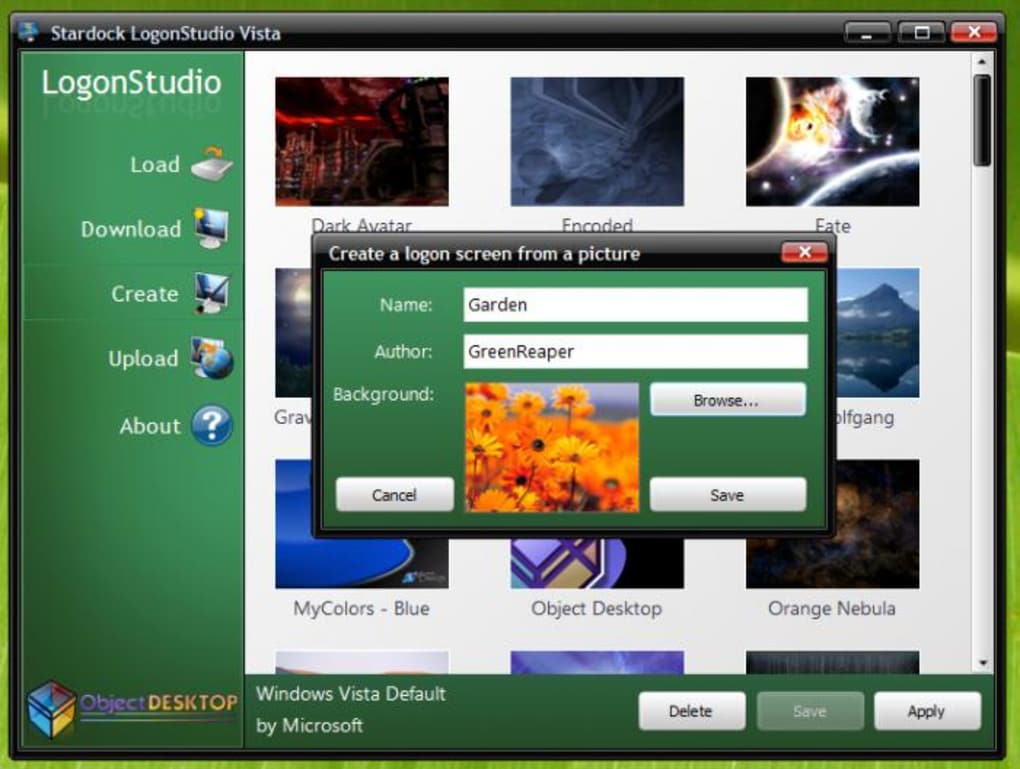
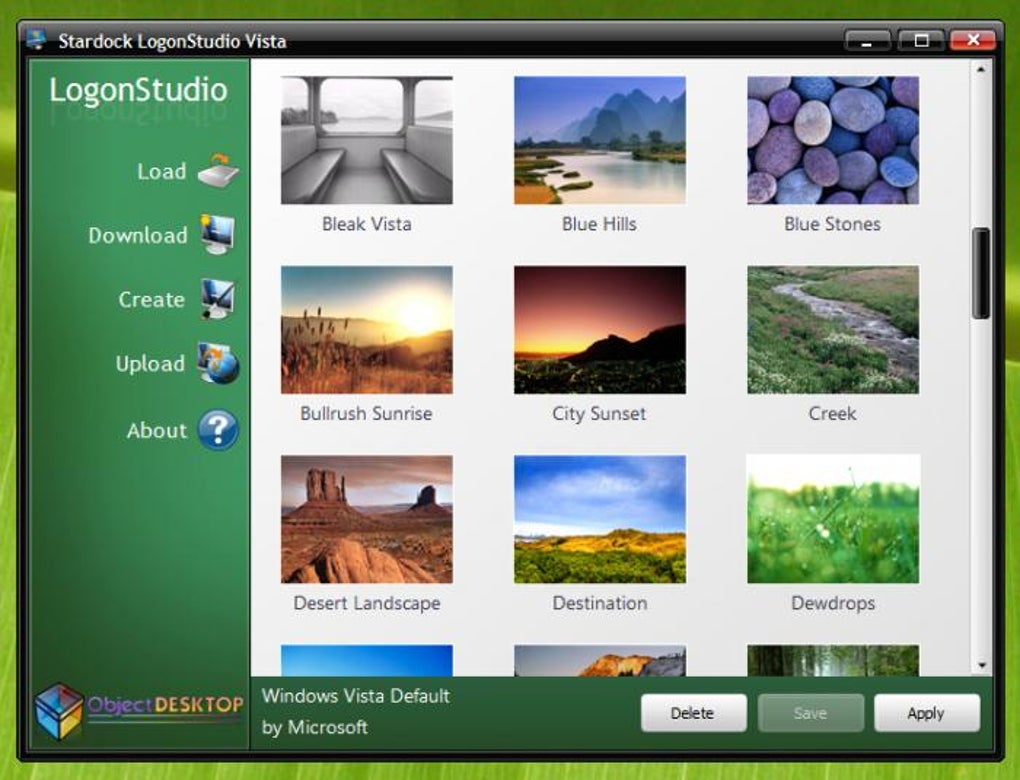
C:\Program Files\LogonStudio). - Launch LogonStudio from the Start menu or desktop shortcut. The main window displays three tabs: Background, Logo, and Colors.
- Upload a background image by clicking “Browse” in the Background tab, selecting your picture, and using the scaling options (Fit, Fill, Stretch).
- Replace the Windows logo in the Logo tab by choosing an image with a transparent background for best results.
- Adjust colors in the Colors tab using the sliders or entering hexadecimal values. You can see a live preview on the right‑hand side of the window.
- Save your changes by clicking “Apply.” LogonStudio will automatically back up the original files to a folder named
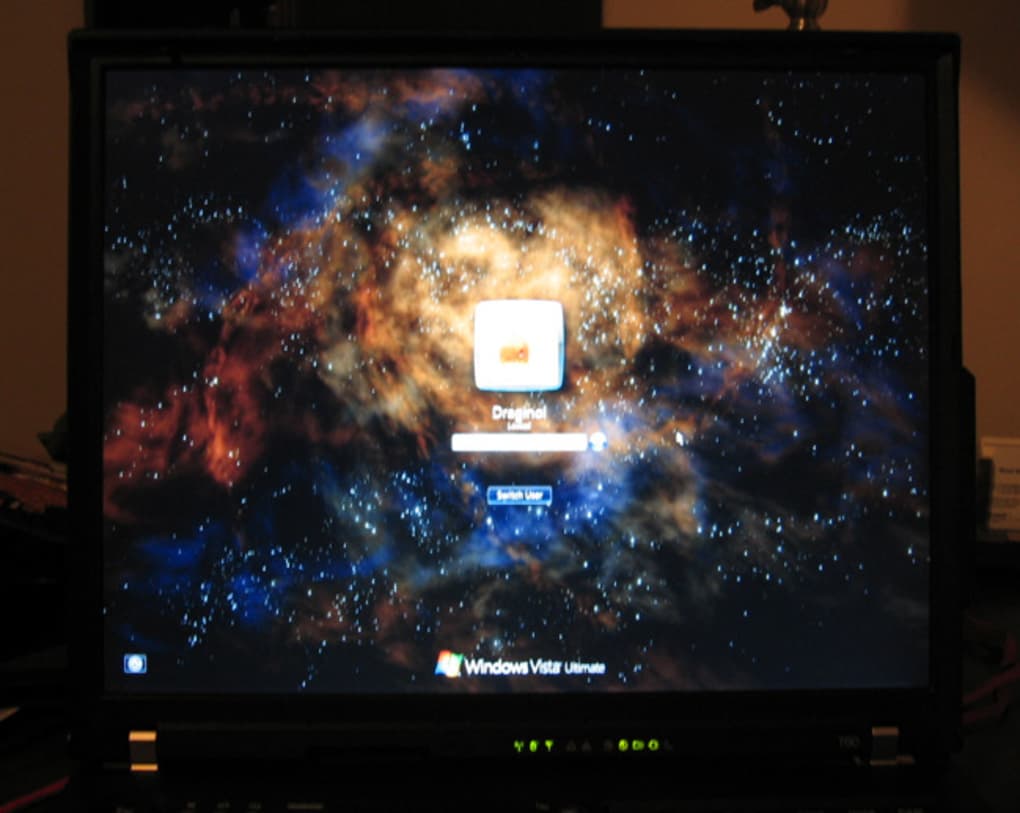
Backupwithin the installation directory. - Log out or restart to view the new logon screen. If anything looks off, open LogonStudio again and click “Restore Backup” to revert.
Because LogonStudio is a free utility, it does not include automatic update notifications. Users who wish to stay current should periodically check the original download page for newer releases. The program’s simple interface means that even users with limited technical experience can confidently customize their login environment without fear of breaking the operating system.
Compatibility, Pros & Cons
LogonStudio is officially compatible with Windows Vista, Windows XP, Windows Server 2003, and earlier Windows releases that use the same logon architecture. It does not support Windows 7, 8, 10, or 11, as those versions employ a different login framework that requires more advanced theming tools.
Pros
- Free and fully functional without hidden charges.
- Very small installer size and low RAM usage.
- Intuitive drag‑and‑drop interface suitable for beginners.
- Automatic backup of original system files prevents accidental loss.
- Supports common image formats and provides real‑time preview.
Cons
- Limited to Windows Vista and older; no support for modern Windows versions.
- No built‑in update mechanism; users must manually download newer releases.
- Only available in English, which may deter non‑English speakers.
- Lacks advanced animation or video background capabilities.
- Interface has a classic Windows look that may feel dated to some users.
Overall Rating: 4 out of 5 stars – LogonStudio delivers exactly what it promises: a simple, free way to personalize the Vista logon screen without compromising system stability.
Frequently Asked Questions
Can LogonStudio be used on Windows 7 or newer?
No. LogonStudio was built for the legacy logon architecture used in Windows Vista, XP, and earlier. Modern Windows versions use a different system that requires tools like “Windows 10 Login Screen Customizer” or “Windows 11 Theme Builder.”
Is the software safe to download?
Yes. The official download is hosted on reputable software directories, and the installer is digitally signed. Always verify the checksum if you download from a third‑party site.
Do I need any special permissions to run LogonStudio?
You must run the installer and the application with administrator rights because they modify system files located in the Windows directory.
Can I revert to the original Windows logon screen?
Absolutely. LogonStudio automatically creates a backup of the original assets. Use the “Restore Backup” button to revert at any time.
What image formats are supported for backgrounds?
BMP, JPEG, and PNG are fully supported. The program will automatically scale the image to match the screen resolution, preserving aspect ratio when possible.
Conclusion & Call to Action
LogonStudio remains a niche yet powerful tool for anyone still running Windows Vista, XP, or older systems and who wishes to inject a personal or corporate touch into the login experience. Its free price tag, minimal footprint, and straightforward workflow make it an ideal choice for administrators, educators, or hobbyists who value simplicity over flashiness. While the lack of support for newer Windows versions limits its audience, the program still shines in environments where legacy operating systems are maintained for compatibility or cost‑saving reasons.
If you’re ready to give your Vista login screen a fresh look, download LogonStudio now and start customizing within minutes. Remember to back up your original assets, run the installer as administrator, and enjoy a personalized welcome every time you log on.







